← All skills

Skill

State estimation

Working out where a robot is from noisy sensors. Kalman-filter odometry for ARUW's engineer, an error model for the sentry's lidar-inertial localization, and merged lidar scans on OpenDubs.

4 log entries2 projects

Advanced Robotics at UWBest example

Kalman-filter odometry for three dead wheels

8-state filterSplit filters

Also shows: C++

Our robots know where they are from dead wheels: small unpowered tracking wheels with encoders that roll along the floor. When the engineer robot moved to new odometry pods with three of them, I rewrote the team's Kalman-filter odometry for them; I had taught myself Kalman filters from Kalman Filter from the Ground Up. The first version was one 8-state filter fusing the three wheels with the IMU. Its covariance between heading and the x and y motion turned out to be negligible, so I split it into three independent two-state filters, for x, y and heading, each updated by one measurement: every step now multiplies 2×2 matrices and divides by a number, instead of working through 8×8 matrices and inverting a 7×7 one, and the wheels alone turned out to be enough without the IMU. To tune it, I drove fixed paths (straight forward, straight sideways, spins and a square), logged the raw wheels, and replayed them offline to fit each pod's position, angle and wheel radius and the filter's noise, checking the result against the IMU's heading. Our target was under 10 cm of error over the engineer's path, the most our vision system could correct for, and the tuned odometry met it.
The engineer driving itself at competition, from the third cube pickup to its drop-off: the filter's own logged pose, replayed at real time from just before it moves.
Tuning offline: a logged 5 m sideways push, replayed through the filter as the pods move from their design values to the tuned ones. With one pod 2.7° off straight, the design values read the push as a 79° turn; tuned, it comes to 4.99 m and follows the path the IMU's heading gives, ending within 1° of it.

Advanced Robotics at UW

An error model for the Odin

Analysis code

Also shows: Experiment designPython

The question wasn't how accurate the Odin is but whether the sentry could rely on it alone, and one accuracy number can't answer that: the nav stack needs to know how the error behaves, whether it grows, and what happens when something goes wrong. So I designed the October 3 campaign around those questions (figure-8 laps, a long hold, repeated relocalizations and covered-sensor trials, all against mocap) and fit a small model to it: the true pose, plus an offset drawn each time the Odin relocalizes into its map, plus first-order Gauss-Markov noise: correlated over time, but decaying.

poseout(t)=posetrue(t−τd)⊕ε(t),τd≈0
ε(t)=R(ψ)Tbk+η(t)
bk∼N(0, diag(σb2)),per relocalizationk
ηi[n+1]=aiηi[n]+σi1−ai2wi[n]
ai=e−Δt/τc,i,Δt=0.1s

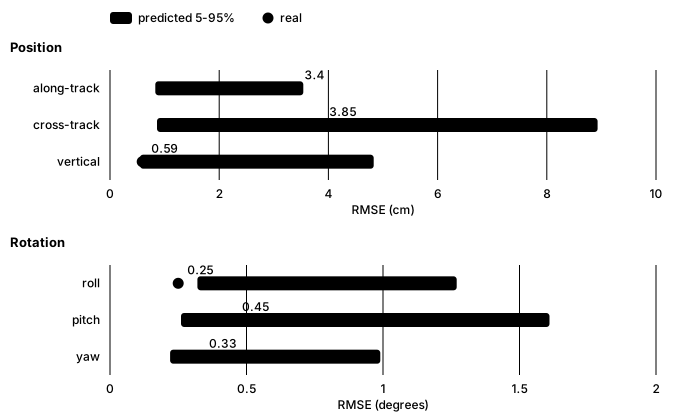
Splitting the error this way was the key decision. The offset from each relocalization turned out to be the largest term, which one overall noise figure would have blurred, and modelling the noise as decaying showed the error stays bounded instead of drifting. To check the model wasn't just describing the data it was fit to, I refit it without one session, simulated it many times along that session's real path (a Monte Carlo check), and asked whether the real error fell where the simulations said it would. It did: its real error there, 5.1 cm horizontal and under half a degree, matched the prediction on all six axes (roll came in just under its predicted range, still within the test). That made the recommendation clear: the Odin can be the sentry's only localization, kept on the turret major, where it swivels independently of the turret and the chassis. We tried it in several mount locations and found the occlusions made little difference. The nav stack only has to handle a rare wrong relocalization, and the output pausing while the sensor is covered.

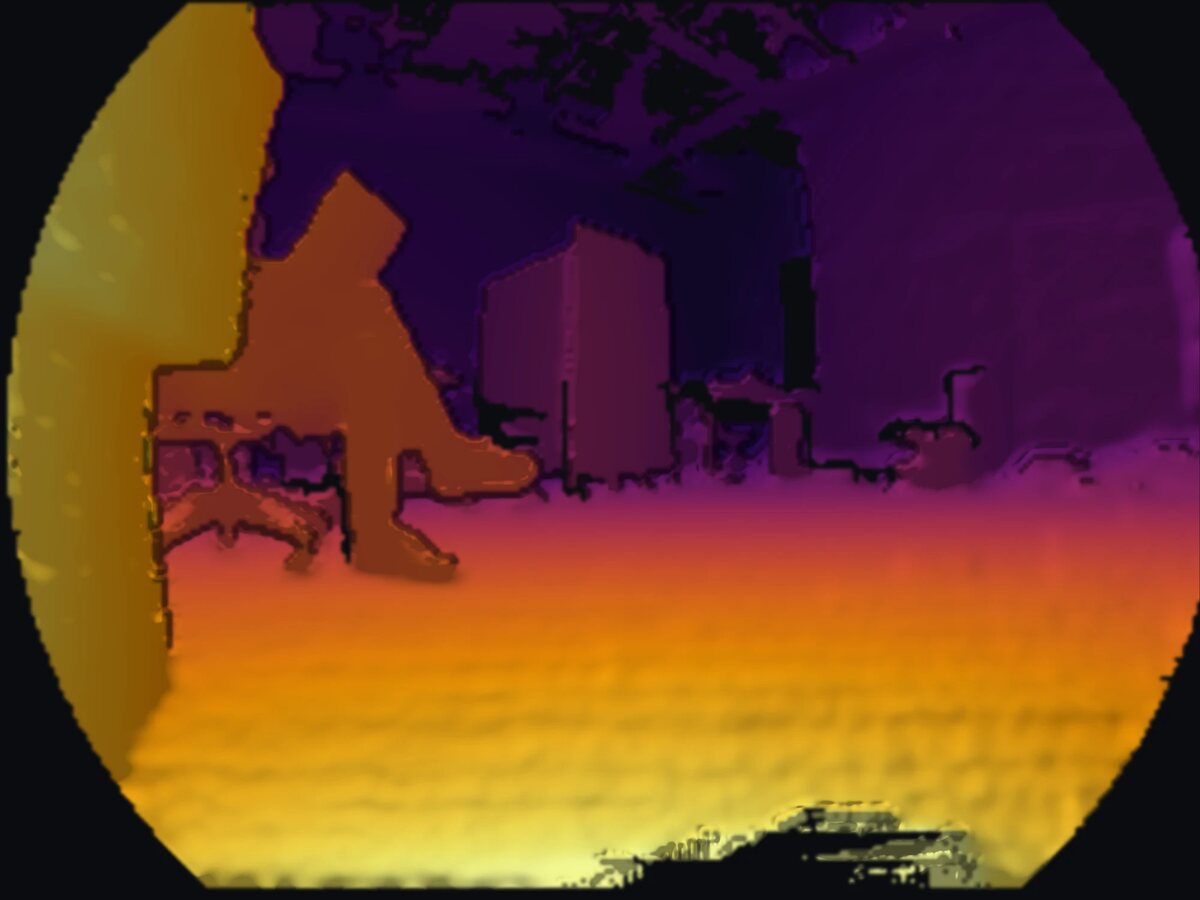
Depth image from the Odin, colored from yellow for near to purple for far, in its round fisheye frame: a wall close by on the left, a person sitting in a chair, and boxes and furniture across the room
What the Odin sees: a depth image from its recordings, near in yellow and far in purple.
Chart: for each axis, the Odin's real error on a held-out session as a dot against the model's predicted range as a bar; along-track, cross-track and vertical position, and roll, pitch and yaw
The hold-out check: the model, refitted without one session, predicts that session's error. Every axis passes; roll comes in just under its predicted range.

Advanced Robotics at UW

The same check for a 2D lidar

Code

Also shows: ROS 2

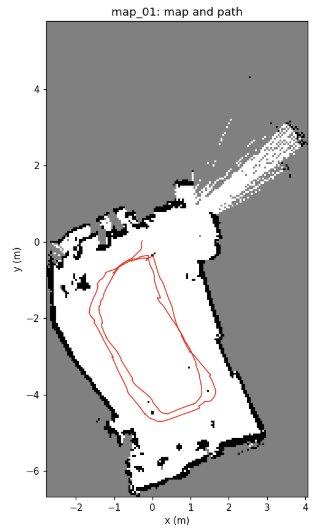
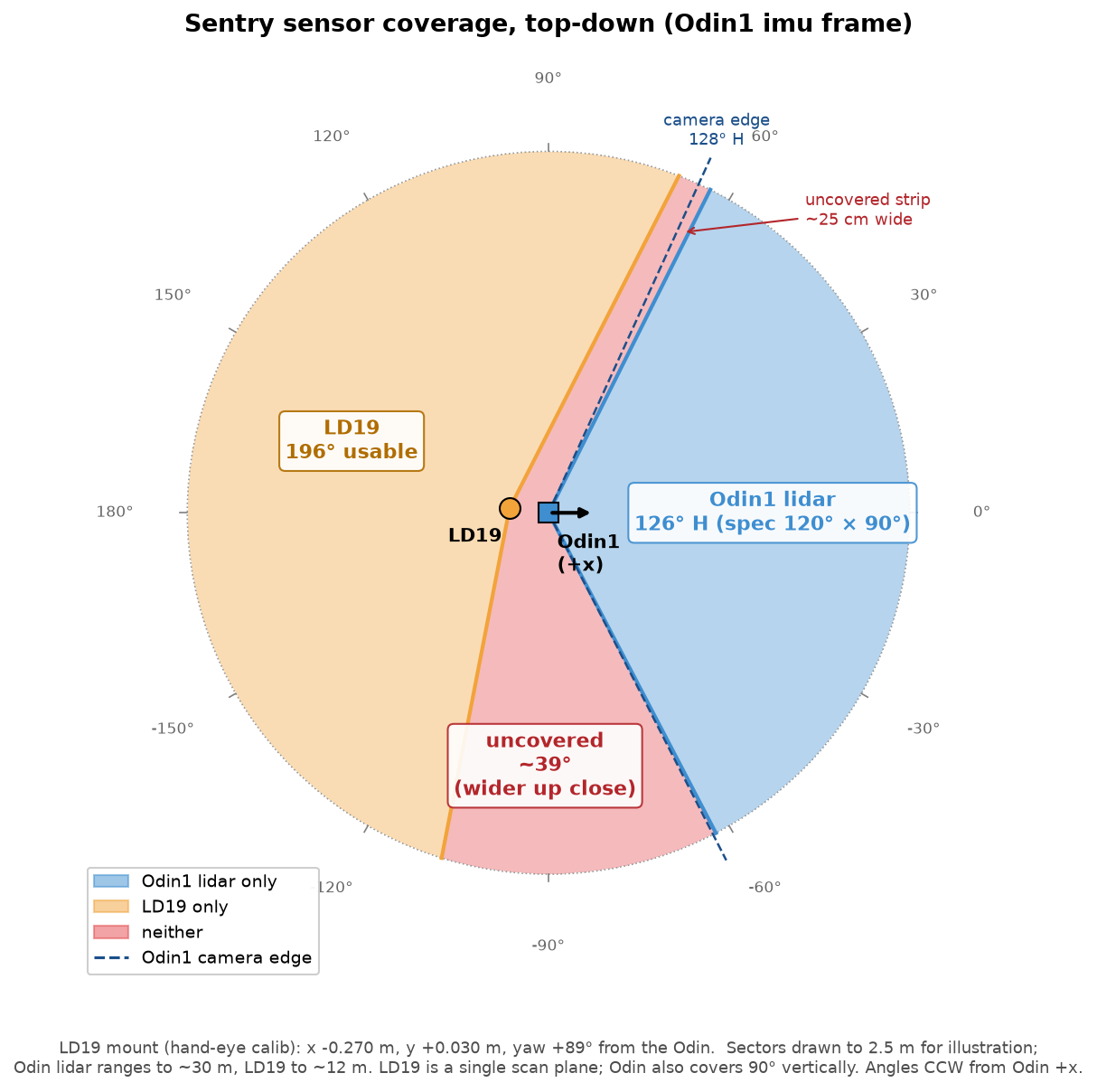
I ran the same characterization on a WayPonDEV LD19 2D lidar, for obstacle mapping, with the Odin providing the pose. It scans at a steady 10 Hz with 8–14 ms of jitter, about 503 points per scan 0.72° apart, and skips 1–2% of scans. Range noise is 3–6 mm at 1–2 m, 6–11 mm at 2–3 m and 7–28 mm at 3–5 m: well under a 5 cm map cell, even at 5 m. At most 0.2% of returns are isolated false points and 1–2.4% are outliers, mostly at object edges where a beam half-hits the edge and half the background, which a filter removes easily. It never dropped off USB in the 40 minutes it ran, and the longest gap between scans was one skipped scan. The LD19 was good enough for our use, but we bought a 3D lidar anyway: the Odin's field of view is small, and a 3D lidar sees much more of the area around the robot.

Occupancy map of a cluttered room, about 7 by 12 meters, with the robot's pushed path drawn in red as two loops
The room mapped with the LD19's scans, placed by the Odin's poses (5 cm cells), with the 24.5 m path the robot was pushed along in red.
Top-down diagram of the sentry's sensor coverage: the Odin's lidar covers a 126 degree wedge to the front, the LD19 a 196 degree arc behind, and a 39 degree wedge between them is covered by neither
What the two sensors see on the sentry, from the measured mounting: a 39° wedge is covered by neither.

OpenDubs

Two 2D lidars, merged into one scan

Also shows: ROS 2Hardware bring-upPython

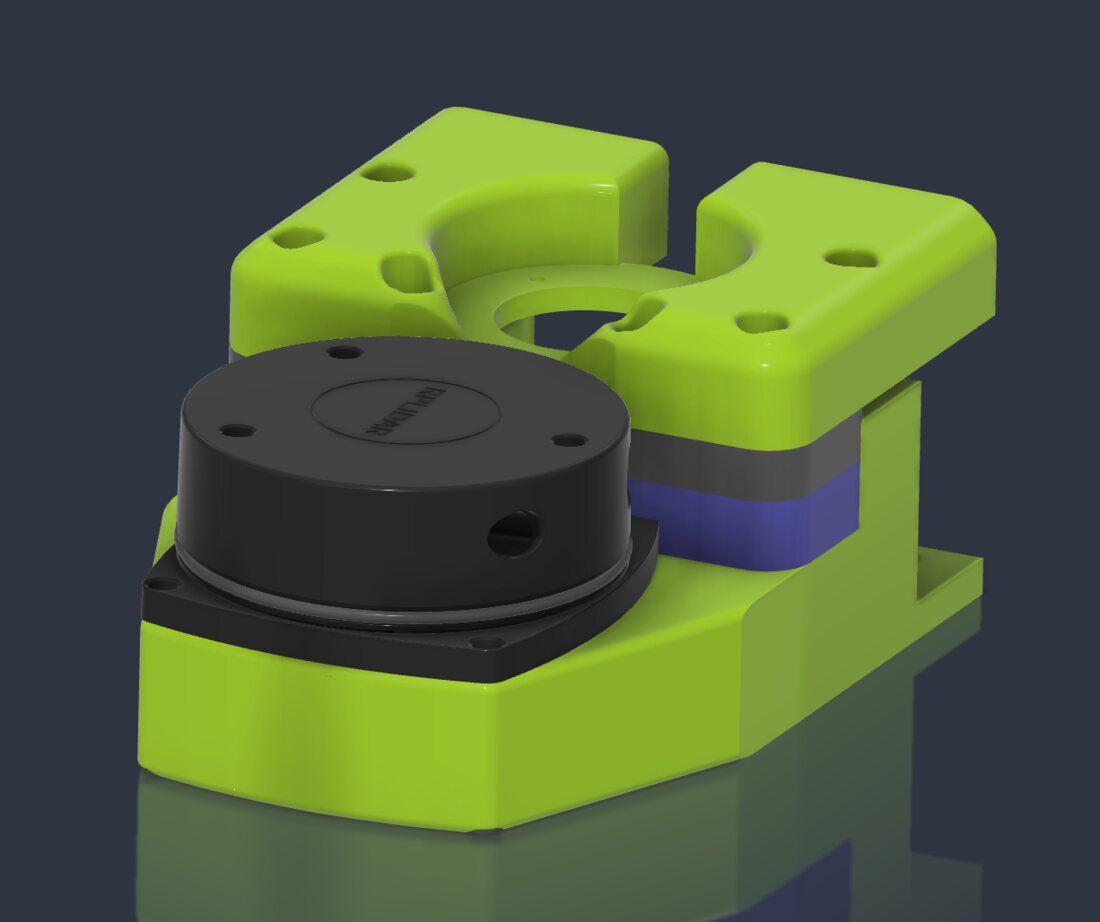
For localization and a map, the base carries two RPLIDAR A1 2D lidars, one at the front and one at the back. Bringing them up, with the team, was mostly fighting USB: the two units have identical USB IDs, so udev rules name each by the hub port it's plugged into, and they power up a few seconds apart so neither times out.

Mapping and Nav2 expect one scan, so I wrote a node that merges the two. The two scans never line up on their own: nothing guarantees the lidars spin at exactly the same rate or finish a revolution at the same moment, and each reaches the Thor with its own latency. So the node pairs scans by their timestamps (any two within 0.1 s), looks up each scan's transform into the robot's frame at that scan's own timestamp, resamples both to the finer of the two angular resolutions, and keeps the nearest return in each direction of one 360° scan, stamped halfway between the two and dropping hits on the robot itself. On top of it, I set up slam_toolbox and Nav2, which drove the robot point to point in simulation.

A CAD render of a round 2D lidar sitting in a bright green 3D-printed mount
One of the two lidar mounts. CAD render from the lab's build guide.
A replay in Gazebo: the robot's URDF, my lidar merger and our slam_toolbox settings, unmodified, mapping a made-up lab room while Nav2 drives. 6× speed.